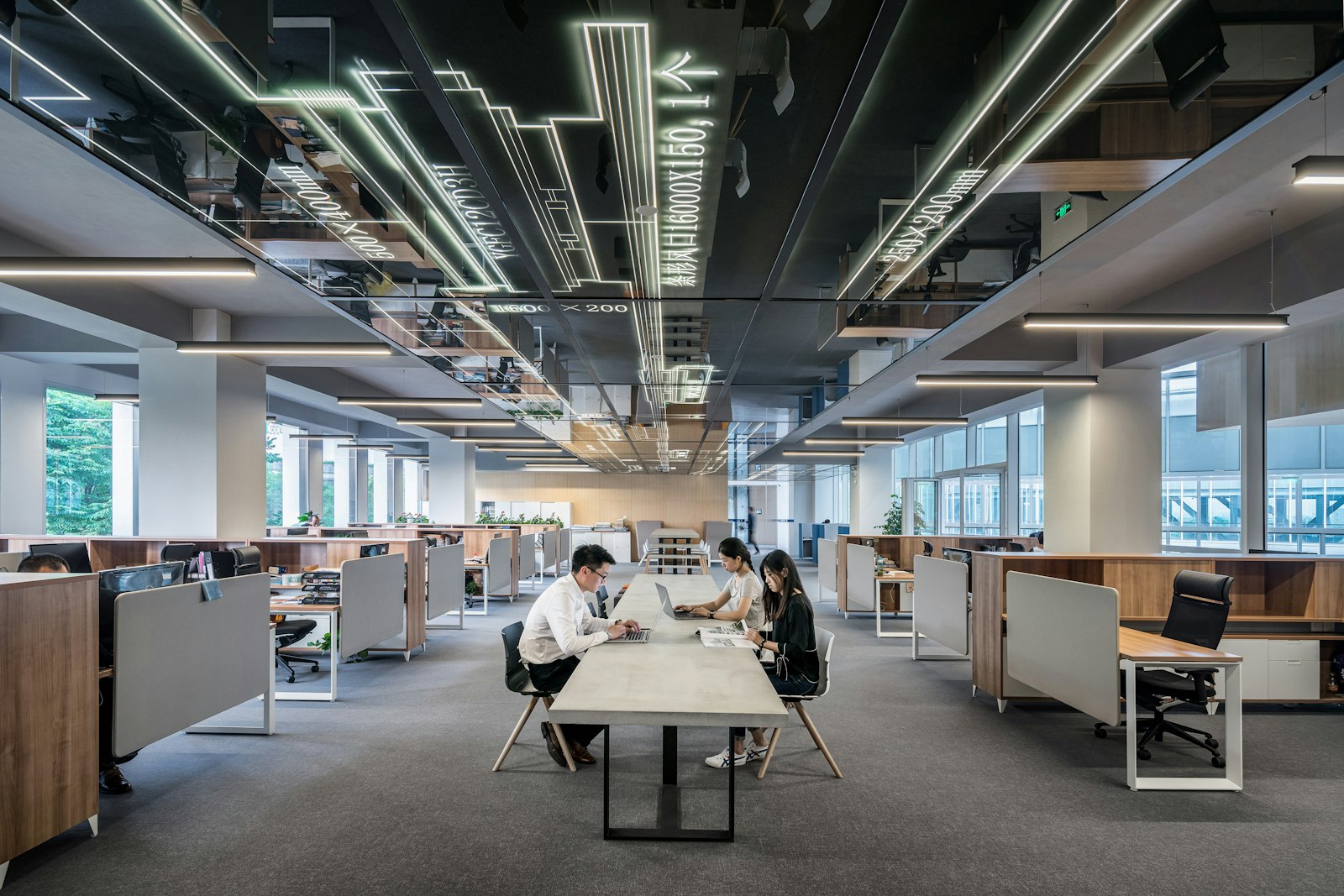
Hot desking furniture has a harder working life than furniture anyone owns. A shared desk is used by several different people every week. Each person sets it up for themselves, and the desk has to be cleared for the next person at the end of every day. The furniture that holds up is commercial grade and chosen for that use: high-pressure laminate or solid surface on the work surface, upholstery rated for the cleaner your crew actually uses, task chairs with fewer adjustments rather than more, sit-stand bases with memory presets, and enough personal storage that every desk can be cleared and wiped.
Not every hybrid office needs hot desks. As our corporate office furniture page puts it, the right mix depends on attendance, roles, storage and peak-day demand. Where desks are shared, though, the furniture works harder. Our hybrid office planning guide puts a hot desk at three people a week, and our density guide notes that cheaper specifications fail faster under shared use. This guide covers why residential-grade furniture fails on a hoteling floor, how common surfaces and fabrics stand up to daily disinfecting, where people’s things go when nobody owns a desk, which task chairs survive people who never adjust them, and what the cheaper option costs over five years.
Why residential-grade furniture fails in a hoteling environment
Residential-grade furniture is not built for continuous use by many different people. Our guide to lounge seating people actually use makes the point about a retail sofa, which will not hold up to eight years of continuous use by a hundred different people. A hot desk asks the same of a chair and a work surface.
Nobody owns a shared desk, and that changes how it is treated. Our coworking and flex space guide makes the point about members: people do not report damage to furniture that is not theirs. On a hot desk nobody owns the furniture either, so a loose arm or a sticking drawer can go unreported until it fails.
The failures arrive in predictable places, and our 10-year cost comparison puts numbers on them.
- ›Chair gas cylinders. Residential-tier chairs use cheaper cylinders rated for roughly two years of eight-hour use. In an office they fail in 18 to 30 months.
- ›Laminate edges. Lower-grade laminate shows wear at the edge within three to four years, and monitor arm clamps leave burn marks sooner. Commercial laminates from Artopex, Global and Kimball are rated for ten years or more and carry a warranty against that failure.
- ›Fabric. Residential-grade fabric is rated for 15,000 to 20,000 double rubs. Commercial-grade Crypton and similar fabrics are rated for 100,000 or more.
- ›Sit-stand motors. A desk often carries two monitors, a laptop, a dock and someone leaning on the edge. Most commercial bases handle that load. Bargain bases do not, and the motor is the part that fails, as our height-adjustable desk rollout guide explains.
Shared use brings those failures forward. That is why our density guide gives a shared desk a better chair, a height-adjustable base and a monitor arm than an assigned desk would get. Plan for replacements too. On a floor that will be reconfigured, every piece should be reorderable in twos and threes, because once a line is discontinued, a broken desk becomes a mismatched one.
Surface materials ranked for daily disinfecting
Start with the cleaner, not the catalog. Ask whoever cleans the floor which product goes on the desks, at what dilution and how often. Then ask each manufacturer which of its finishes has been evaluated against that product. That is where our healthcare furniture specifications start, with the cleaner the facility actually uses, and shared desks that are wiped down every day deserve the same question.
Read the claims carefully. Cleanable means a surface can be wiped down. Disinfectant-compatible means the manufacturer has evaluated the material against a named product at a stated dilution, contact time and rinse procedure. Neither one means the furniture disinfects itself or protects anyone from illness. Both describe how well the material survives the cleaning, which is the question that matters on a shared desk.
Laminate, HPL, solid surface and upholstery compared
For work surfaces, from most to least forgiving under a daily wipe-down:
- High-pressure laminate and solid surface. Both are non-porous and wipe clean. High-pressure laminate outperforms standard laminate on chemical and impact resistance at a modest difference in cost, as our guide to plant offices notes. Solid surface is offered for the arm caps on clinical seating, the part that takes the most contact.
- Commercial-grade laminate. Laminate wipes down and shrugs off coffee, and commercial lines are rated for ten years or more. Watch the edge, because that is where lower grades wear first. Choose a mid-tone, textured finish: as our coworking guide notes, high gloss and matte white both mark within weeks of daily use.
- Wood veneer. It costs several times as much as a good laminate, and a good thermally fused laminate stands up to wear better. Keep veneer for the few rooms where it matters, and off desks that are wiped every day.
- Soft-touch finishes. They stain, which is why our life sciences office guide keeps them off desks near lab space.
For upholstery, from most to least forgiving. Our guide to reading a fabric card explains the ratings.
- Coated fabrics such as vinyl and polyurethane. They clean down and do not trap dust. The Association for Contract Textiles sets its high-traffic baseline for coated upholstery at 50,000 double rubs, against 30,000 for woven.
- High-performance woven fabric with a fluid barrier. Commercial-grade performance fabrics such as Crypton are rated for 100,000 double rubs or more. Ask for one the chair’s manufacturer has approved for that model and evaluated against your cleaner at your dilution.
- Standard woven fabric. A corporate seat might be specified at 15,000 double rubs, the bottom of the range our cost comparison gives for residential fabric. That may be enough for an assigned chair. A chair several people sit in every week needs more.
Look at the construction as well as the material. On any chair that gets wiped often, sealed seams and a clean-out between seat and back matter as much as the fabric, because fluid that gets into a cushion stays there, as our exam room furniture guide explains. Treat this order as a starting point: the manufacturer’s evaluation against your cleaner overrides it.
Personal storage and locker strategies for unassigned desks
A shared desk can only be wiped once it is clear, and it is only cleared at the end of the day if people have somewhere to put their things. Shared seating removes the pedestal under each desk, so that storage has to come back as lockers, with floor area and a clear path in front of them. Without it, people camp at a desk just to have a home for their bag, and the desk stops being shared.
Our guide to lockers and hoteling covers the strategy in detail. In short, size the locker bank to your busiest day rather than to headcount, put it on the path between the entrance and the floor, and choose a lock your facilities team can actually administer. Install the storage before the seating changes, not after.
Task chairs that survive users who never read the adjustment guide
Buy chairs that need as little adjusting as possible, and make sure the adjustments that matter are easy to find. On a hot desk, the person who set the chair up yesterday is not the person sitting in it today, so design for the sitter who never touches a lever.
The simplest answer is a chair that adjusts itself where it can. Humanscale’s Freedom and Liberty task chairs take their recline from the sitter’s body weight, so there is no tension knob for anyone to forget. That is why they last on hot-desking floors where nobody resets a chair. The Diffrient World chair works the same way in a mesh frame and costs less. On projects with multiple shifts or a lot of shared seats, that weight-sensitive recline is often why Humanscale gets specified.
Then make sure the four adjustments that do most of the work are present and obvious. Our task chair buyer’s guide names them: seat height, seat depth, lumbar support that adjusts in height, and armrests that adjust in height and ideally width. Seat depth matters most on a shared chair. It is the adjustment cheaper chairs drop first, and without it a 5-foot-3 person and a 6-foot-2 person cannot share the same chair comfortably, which is exactly what a hot desk asks them to do. Headrests, tilt-tension dials and forward tilt are useful in some roles. On a shared chair they are one more setting nobody touches.
Specify the shared chair for the longest sit it will get. The same guide gives the full-feature chair to the analyst who sits seven to nine hours a day, and a solid mid-tier chair to the sales rep who is up and down on calls. A hot desk does not know which of them is coming, so it gets the better chair. Before ordering, put two or three samples on the floor for a week, as the guide recommends, and on a shared floor let several different people sit in each.
Two more details keep shared seats working. If shared desks are booked into a second shift, say so at specification. Many warranties assume single-shift use of around 40 hours a week, and single-shift product used beyond that loses its coverage and wears out early, as our warranty guide explains. On sit-stand desks, presets matter even more when desks are shared. Specify a controller people can set to their own height in seconds, look at bases that store a profile for each user, and set the presets on install day.
What does cheap hoteling furniture cost over five years?
In our 10-year comparison of a 50-seat office, the cheaper specification spent roughly $23,000 to $25,000 on replacements in its first five years and had replaced every task chair, while the commercial specification spent about $1,500 on maintenance and replaced nothing. At that point the cheaper floor was still about $10,000 ahead on total spend, because it started at $45,000 installed against $78,000.
The order flips after that. Years six to eight bring replacement desks and storage, and the replacement chairs from year three start to fail. By year ten the cheaper floor has spent roughly $122,000 to $130,000 against $84,000 to $87,000, so the commercial specification costs 30 to 35 percent less over ten years despite costing 70 percent more on day one.
Shared use brings those failures forward, as our density guide notes. That is also why the better specification does not have to raise the budget: with fewer desks than people, a hybrid plan’s furniture total tends to land flat or a little under a one-to-one plan, even though the cost per seat goes up.
Start with the people sharing each desk
If you are moving a floor to shared seating, bring two facts to the first conversation: how many people will share each desk, and what your cleaners put on it. We will specify the surfaces, seating and storage against both from our 100+ brands, and lay the floor out on a free space plan before anything is ordered. Our technology office furniture page covers the rest of a hybrid floor for tech companies, from team neighborhoods to focus pods and phone rooms.